To keep your system stable at all times, keeping your drivers up to date is essential. However, always keeping an eye out for the latest updates can be challenging. It is where Driver Updater apps streamline the process by automatically finding, downloading, and installing the latest drivers for your system.
After thoroughly testing several tools, I have compiled a list of the best driver updater apps below. You can choose one that best fits your needs to keep your system running smoothly.
Warning
Driver Updater apps are not flawless. Sometimes a small overlooked change can jeopardize your system's stability. Hence, it's crucial to back up your current drivers before installing updates.
Every app listed below includes a built-in backup feature, providing a safety net if something goes wrong.
Quick Features Comparison
Product | Driver Database | Scan Speed | Scan Scheduling | Automatic Driver Updates | Driver Backup and Restore | Offline Driver Updates |
|---|---|---|---|---|---|---|
IObit Driver Booster Pro | 18 Million+ | 10.18 seconds | Yes | Yes | Yes | Yes |
Avast Driver Updater | 130 Million+ | 12.21 seconds | No | No | Yes | No |
AVG Driver Updater | 50 Million+ | 40 seconds | No | No | Yes | No |
CCleaner Pro | 110 million+ | 25 seconds | No | No | Yes | No |
Driver Easy Pro | 30 Million+ | 21.24 seconds | Yes | Yes | Yes | Yes (Only for network drivers) |
Auslogics Driver Updater Pro | 60 Million+ | 1 minute 52 seconds | Yes | Yes | Yes | No |
Ashampoo Driver Updater (Pro) | Over 400,000 | 1 minute 31 seconds | Yes | Yes | Yes | No |
DriverMax Pro | 2 Million+ | 42 seconds | Yes | Yes | Yes | Yes |
Snappy Driver Installer | Large driverpacks | No scanning option | No | No | Backup (Yes) No built-in restoration option | Yes |
Glary Utilities Pro | No definitive numbers (Not disclosed) | 20 seconds | No | No | Yes | No |
Note: Unlike other driver updater apps listed here, Snappy Driver Installer does not have a dedicated scanning option. Instead, it lets you choose from three options to download after launch: the entire driver pack collection, network-only driver, or just the indexes. On my end, the program took around 1 minute 22 seconds to download the indexes.
My List of Best Driver Updater Apps in 2026
1. IObit Driver Booster Pro
Supported Platform: Windows
Free Trial/ Free Version: 14 Days Free Trial, after which it switches to the Free Version.
Trial Limitation: Allows only one driver update per day
Free Version Limitations:
- Smaller driver database
- Basic driver download speed
- No offline driver updater
- No auto backup
- No support for updating all Windows 11 ARM64 drivers
Here is a detailed comparison of Driver Booster Free vs Pro version.
My Rating:
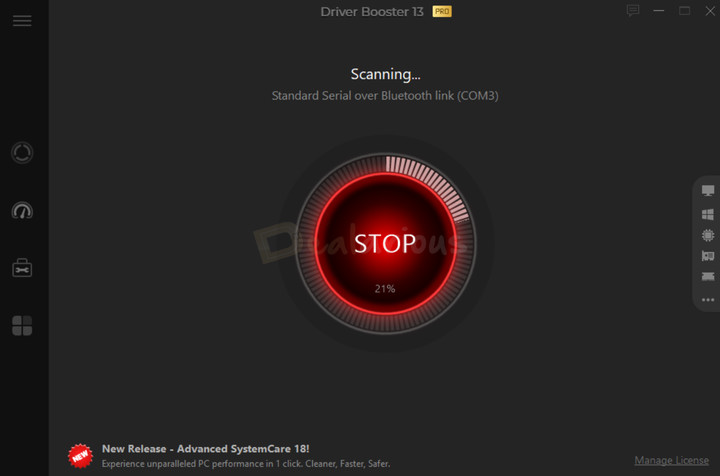
IObit Driver Booster Pro is the first one in my list. It is one of the most comprehensive and reliable driver management utilities. Besides basic driver updating, it can also repair faulty drivers, enhance gaming performance, update drivers offline, and perform additional tasks. The Pro version has a database of over 18 million drivers from over 1,200 verified manufacturers. Hence, the chances of finding the right driver are high. Additionally, Driver Booster also features flexible customization options that advanced users can take advantage of.

Key Features
Driver Backups & Restore: Create both automatic and manual driver backups before installing them. However, you should note that the automatic driver backup feature is exclusive to IObit Driver Booster Pro users. If an update turns out to be problematic, you can easily restore the driver from your backup list.
Driver Rollback: Lets you revert a driver to its previous version without needing a manual backup. However, it is not available for all drivers. Driver Booster only displays the Roll Back options for selective drivers.
IObit & WHQL certified: WHQL (Windows Hardware Quality Labs) is a driver testing process by Microsoft that validates a driver's stability and compatibility with the Windows OS. What makes Driver Booster a reliable and effective driver management utility is its strict filtering rules, which only offer WHQL-certified and IObit-tested drivers with transparency.
Fix system issues: Repair faulty drivers and resolve common PC issues, such as no sound, poor resolution, and network failures. This way, you can enjoy a more stable and optimized PC performance.
Schedule Scans and Updates: You can also set how often Driver Booster checks for driver updates and enable automatic download and installation if needed.
Extra Tools
Game Booster: To enhance your gaming performance, Driver Booster lets you close unnecessary background apps.
Offline Driver Updater: Download and install drivers without needing an active internet connection. It is especially helpful if your network card driver isn't working.
Silent Mode: Enabled by default, this feature mutes all the notifications from Driver Booster Pro.
Pros
- Easy to use
- Huge Driver Database
- WHQL-certified driver updates
- Fix Faulty Drivers
- High Speed Download
- Automatic Updates
- Offline Driver Updater
- Additional Tools
Cons
- IObit upsells within the App
- No live chat support
Verdict
I have been using IObit Driver Booster for a long time, and it has become my go-to driver updater tool. It has helped me fix my biometric driver issue and keep my driver updates in check. The program can quickly scan and download the latest updates without any issues. Additionally, it works across all Windows versions, from XP to Windows 11 and even supports Windows 10 and 11 ARM64 devices, which is a plus. Hence, if you are looking for a reliable driver management utility, IObit Driver Booster is a solid choice.
Read the IObit Driver Booster review to get a detailed understanding of its usefulness. Check out IObit Driver Booster Pro coupons for extra savings.
2. Avast Driver Updater
Supported platforms: Windows
Free Trial: 30 days Fully Functional Free Trial
My Rating:
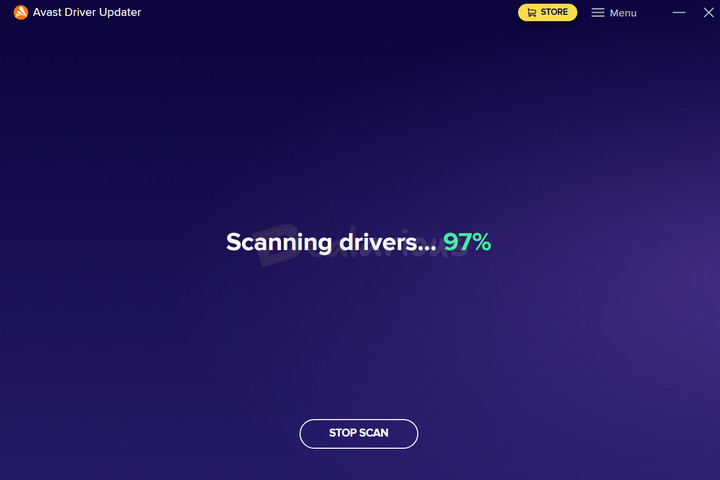
Avast is a household name in the security solutions industry. Over the years, Avast has attracted millions of users who rely on it to protect their devices from viruses and malware. Avast Driver Updater is another reliable tool that lets you safely update your system drivers with a backup to maintain system stability. It boasts a huge database of over 130 million drivers. Therefore, the chances of finding the right driver for your old or rare devices that receive minimal updates are better.

Key Features
Clean Interface: Avast Driver Updater has a clean and minimal interface. When you want to update your drivers, you simply launch the App, initiate a scan, and update the required drivers listed on the outdated list. Overall, the App is easy to navigate.
Major Brand Coverage: It scans your system against a vast pool of verified hardware manufacturers. As a result, you get better coverage for drivers from popular brands like Intel, AMD, Dell, Asus, NVIDIA, and others.
Automatic Driver Backup: Before installing updates, Avast Driver Updater automatically saves a backup of your current driver. It serves as an antidote to unnecessary stress, knowing you can revert to the older version if an update causes problems.
Driver Filtering: If you are looking for a specific driver, use the Filters option to view only the types you need, such as Audio, Display, Battery, and so on.
Skip/Ignore Driver Update: Avast Driver Updater will skip a specific driver update for now but will alert you when a newer version is available. If you don’t want to see updates for that driver anymore, you can use the Ignore Driver feature instead.
Additional Features
Deletes Old Backups: The program includes an Auto-Delete Backup feature that lets you specify a time frame for automatically deleting older backups. You can set the deletion interval from 1 to 6 months and the maximum backup folder size. Handy, if storage space is a concern.
Alternative Drivers: It is another impressive feature I found in Avast Driver Updater. It allows you to set different search frequencies to find safe alternative drivers when no new updates are available for an extended period.
Pros
- Clean Interface
- Easy to use
- Huge Driver Database
- Driver Backup and Restore
- Low resource consumption
Cons
- Expensive
- WHQL certification is not always clearly disclosed.
Verdict
I found Avast Driver Updater to be an efficient tool to keep your driver updates in check. It boasts an intuitive interface with a vast driver database. However, it is not free from a few drawbacks. Despite its high price, it lacks some advanced optimization features that competitors offer. Additionally, unlike IObit Driver Booster, Avast does not transparently offer WHQL-certified drivers. Still, backed by Avast's strong cybersecurity reputation, Avast Driver Updater is a good choice if you are looking for a simple, lightweight, reliable, and effective driver management tool.
To learn about my experience, check out the Avast Driver Updater review. For the best deals, take a look at our Avast Driver Updater coupons.
3. AVG Driver Updater
Supported Platform: Windows
Free Trial: 15 days Fully Functional Free Trial
My Rating:
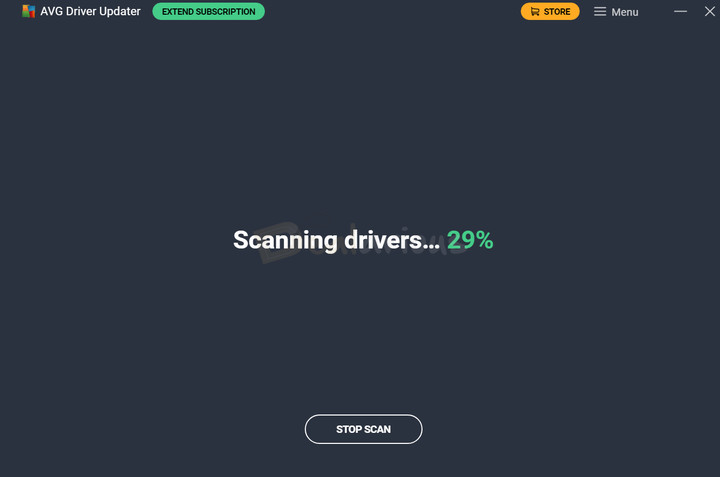
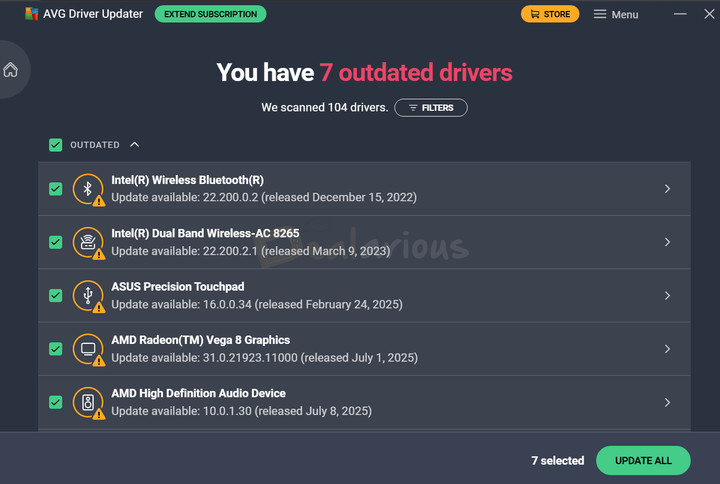
AVG, a trusted name in the cybersecurity industry, offers AVG Driver Updater as a standalone driver management utility. It helps update drivers to reduce hardware conflicts and maintain your device's peak performance. It scans your system against a database of over 50 million drivers from more than 1,300 verified hardware manufacturers. As a result, you can download and install drivers from trusted sources.
Key Features
User-Friendly Interface: AVG Driver Updater has a clean and organized interface. Updating a driver is a simple one- or two-click process. No extra clutter or settings to get lost in, making it ideal for non-technical users.
Real-Time Scanning: The program runs silently in the background, automatically scanning for driver updates in real time. You will be notified once a new update is found.
Alternative Drivers: Similar to Avast Driver Updater, this feature prompts AVG Driver Updater to search for alternative drivers when no new updates are available for a long time.
Backup and Restore: In addition to saving a backup of your current driver, AVG Driver Updater automatically creates a system restore point of your PC before installing a new update. If you face any issues after an update, you can safely revert to the previous stable state.
However, if you are concerned about storage space, AVG Driver Updater lets you specify how long old backups are kept before they are deleted.
Skip and ignore driver updates: With AVG Driver Updater, you can add drivers to the Ignore list to stop receiving any future update suggestions for them. However, if you just want to skip a specific version update, you can use the Skip Update option.
Pros
- User-Friendly Interface
- Real-Time Scanning
- Lightweight
- Driver Backup and Restore
Cons
- Expensive
Verdict
Both Avast and AVG share the same parent company, Gen Digital. Hence, they both share similar features, even a nearly identical interface. Still, AVG Driver Updater works well on its own. It can efficiently fix recurring system issues by updating outdated or faulty drivers and further helps boost system performance and security. It is particularly suitable for users already within the AVG ecosystem.
You can check out our AVG Driver Updater coupons to get it at an affordable price.
4. CCleaner Pro with Driver Updater
Supported Platform: Windows, macOS, iOS, and Android (Driver Updater is Windows Only)
Free Trial: Fully functional trial available.
Free Version Limitations:
- Basic cleaning only
- No Driver Updater or additional tools available
My Rating:
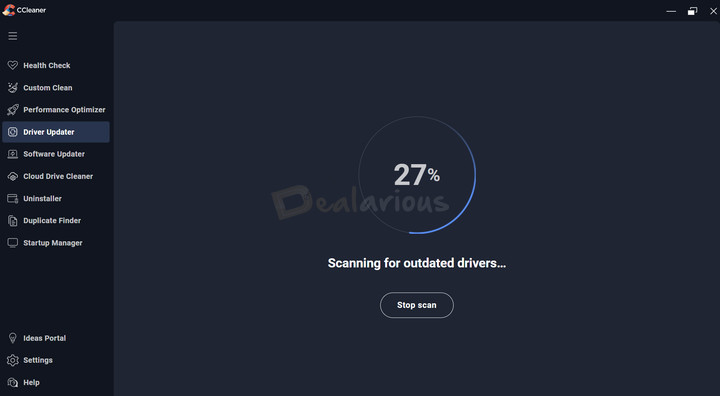
If you want an all-in-one PC optimization tool with a driver management utility, then CCleaner Pro is a good option. CCleaner's built-in driver updater scans your system against a database of over 110 million drivers and replaces them with the latest versions.

Key features
Ignore/Skip Driver: Lets you ignore or skip current driver updates. The Ignore updates feature, on the other hand, will prevent CCleaner from searching for future updates for the selected drivers.
Fix system issues: CCleaner features a dedicated tool to resolve common PC issues, including sound, display, camera, and printer problems, among others.
Backup and Restore: Automatically creates a backup of your current driver upon initiating installation. Backups are stored locally. It also allows you to restore your drivers to their previous state if you encounter any issues.
Extra Tools
Performance Optimizer: You can check which apps are running in the background and put unnecessary ones to sleep to boost system performance.
Uninstaller: Lets you uninstall non-essential apps on your PC to improve speed and free up storage space.
Startup Manager: You can select which apps launch at startup and disable unneeded ones to make your PC boot faster.
Software Updater: Scans for pending app updates and lets you install them to enhance system performance and security.
Pros
- Easy to use
- Multiple PC Optimization tools
Cons
- Basic driver updater tool
- No automatic scheduling for driver scans or updates
- No email support
- Driver Updater is not a standalone application
Verdict
You get the CCleaner Driver Updater tool as part of CCleaner Pro. It is quite basic but effective. Additionally, you receive extra tools to improve your system's well-being. Overall, CCleaner Pro is a good choice for those seeking a reliable, feature-rich driver updater and PC optimization tool. It's lightweight, fast, and runs quietly in the background. However, since the Driver Updater is not a standalone application, it may not be the right choice for you if you are already using a system maintenance tool or don't want to use one at all.
For a detailed understanding of all the features, read our CCleaner Pro review. To get a good deal, check out our CCleaner Pro coupons.
5. Driver Easy Pro

Supported Platform: Windows only
Free Trial: 7 Days Fully Functional Trial (Requires payment information)
My Rating:
With a huge database of over 30 million drivers, Driver Easy Pro is another potent driver updater app on the list. It focuses on streamlining your driver updating process with automatic scanning, one-click updates, and a user-friendly interface. For reliability and stability, it rigorously tests and suggests WHQL-certified drivers.
Note: When you install the program, you can run a full scan to view a list of outdated drivers. To take advantage of the fully functional free trial, you’re required to provide payment information first.
Key Features
Driver Backup and Restore: Similar to other driver updater apps on this list, Driver Easy lets you back up your selected drivers and automatically creates a system restore point for added safety. If you face a fallback with the latest version, you can restore it to the previous version from the backup list.
All Available versions: It's an interesting feature of Driver Easy. As the name suggests, it displays all available versions of a selected driver, including newer and older ones, so you can easily roll back to a preferred version.
Hardware Information Export: The app provides detailed information about your system's hardware, including your CPU, Motherboard, Memory, and Graphics. You can export them for further use.
Offline Scan: Helps fix network card issues by scanning your PC without internet access and downloading the required file from another PC with an active internet connection. You can then transfer the file and install it to resolve the problem.
Driver Uninstall: Let's you easily uninstall problematic drivers.
Scan Scheduler: You can automate scans by scheduling them at any time and customizing other preferences that best fit your needs.
Extra Tools
Game Boost: Lets you enjoy a smooth gaming experience by pausing non-essential services on your system.
System Clean: Removes temporary files, system cache, system logs, and recycle bin items to free up system space.
Impression
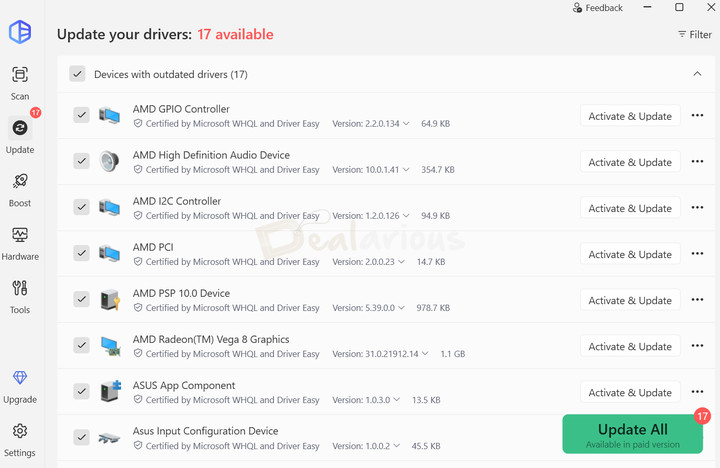
Driver Easy can easily detect missing, outdated, and mismatched drivers present in your system and update them to enhance stability. During my test, the tool identified 17 outdated drivers. Besides detection accuracy, I liked its flexible scheduling options compared to other competitors.
Pros
- Modern and intuitive interface
- Flexible Scheduling option
- Offline scan to fix network card issues
- Driver Roll back from available versions
Cons
- Free trial requires payment information
- Limited Offline Scan
- Expensive
Verdict
Overall, Driver Easy stands out for its reliability, especially given its focus on WHQL-certified drivers. It also includes a 7-day free trial, but payment information is required to activate it—still, a good way to test the full feature set before upgrading.
6. Auslogics Driver Updater
Supported Platform: Windows
Free Version: Yes, with limitations
Free Version Limitations:
- Update one driver at a time
- No Scan Scheduling
- Limitations on Additional Tools
- No Priority Support
- No Automatic Driver Backup
My Rating:
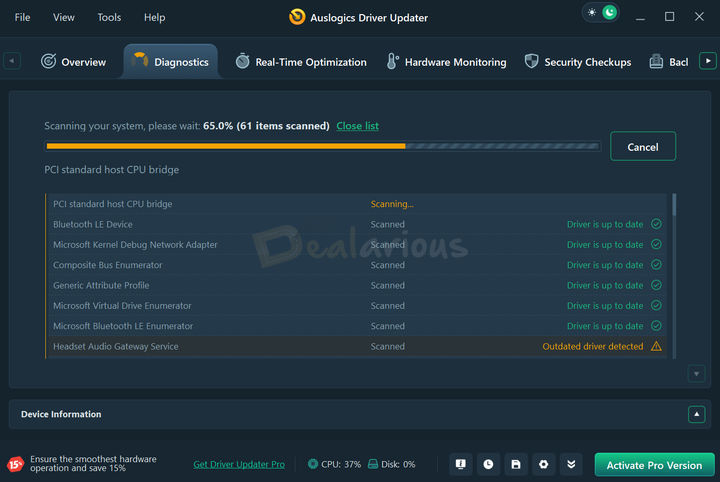
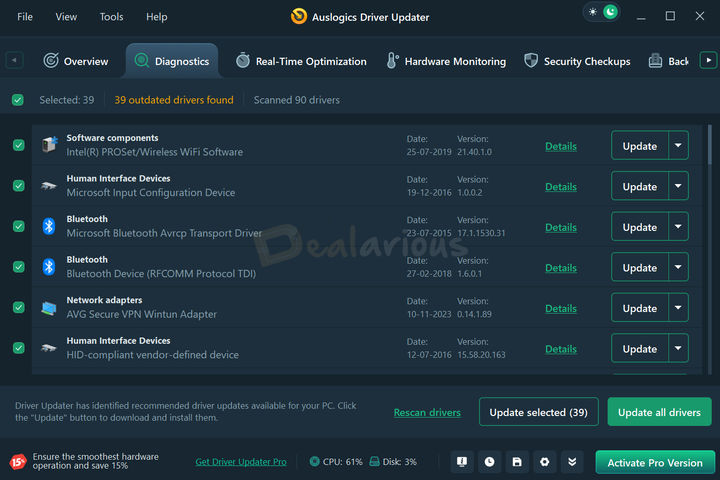
Auslogics Driver Updater is another powerful driver management app that packs a database of over 60 million drivers and support for leading brands, including Microsoft, Intel, and Realtek. As soon as you launch the program, it begins scanning your system for all outdated drivers. The scans are very thorough and can detect and update drivers for devices connected wirelessly.
Key Features
One-Click Bulk Update: The Pro version of the app lets you update multiple selected drivers in a single click.
Backup and Restore: In addition to creating automatic backups before updates, the program also allows manual backups of selected drivers and exports them to any location. Hence, it makes it easy for you to import and restore backed-up drivers when needed.
Schedule Scan: You can also enable automatic driver scanning and set the scan frequency.
Ignore Device: Lets you blacklist specific devices that you don't want updates for. It is particularly helpful if a driver update has repeatedly caused system problems.
Extra Tools
Real-Time Optimization: Available with Auslogics Driver Updater Pro, this tool efficiently finds fragmented driver files and defragments them to improve overall PC performance.
Hardware Monitoring: Tracks the real-time temperature of your PC's components, including the CPU, GPU, and Disk. Informing you every time your PC overheats so that you can take necessary actions.
System Information: Provides detailed information about your PC, including OS version, processor, and motherboard. The Devices and Drivers section on this tab also highlights any missing drivers when you view the details of a selected device.
Impression
During my test, the program did a thorough scan of all the drivers, including wireless devices. As a result, Auslogics Driver Updater took significantly longer to scan. It detected 39 outdated drivers, more than other programs on the list. While the interface is modern and well-organized, the extensive list of drivers felt overwhelming. I also felt that there was a lack of a dedicated filtering or search option. It would have made finding out drivers easier.
Pros
- Well-organized interface
- Huge Driver Database
- Suggests WHQL-certified and digitally signed drivers
- Scan Scheduling
- Dedicated tools for Performance Optimization
Cons
- Free Version Limitation
- Upsells within the program
Verdict
Yes, Auslogics Driver Updater is a solid tool for resolving recurring PC issues caused by missing or outdated drivers. However, the tool might not be the right fit for non-technical users. It is due to its extensive driver listings, which make it easy to make the wrong selection. In contrast, advanced users may appreciate the ability to scan for updated drivers for wireless devices, giving them greater control to improve performance.
7. Ashampoo Driver Updater
Supported Platforms: Windows
Free Trial: Free trial with limitations (no time limit)
Trial Limitations:
- Allows updating one driver at a time
- Requires a full version to update all drivers at once
- No backup available
My Rating:
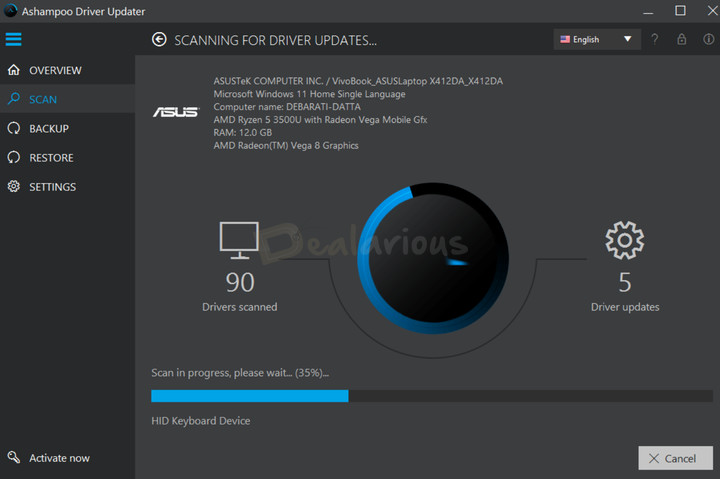
Ashampoo is known for providing a range of useful tools (e.g., multimedia, system, productivity, etc.), and Driver Updater is one of its notable offerings. It has a simple and intuitive interface, allowing you to focus on the update process without getting sidetracked. Right after installation, it immediately scans your system for missing or outdated drivers against its database of over 400,000. Additionally, with support for over 150,000 devices, Ashampoo Driver Updater lets you update a variety of hardware components.
Key Features
Backup and Restore: Automatically creates backups and system restore points. You can also manually create a driver backup and save it locally, allowing you to restore it when needed and providing additional safety.
Schedule Scan: You can automate scanning to find new drive settings at a frequency of once, daily, or weekly, for affected days, execution date, and time. You can also prefer never.
Bulk Update: Update all the outdated drivers in one click, saving you time and effort.
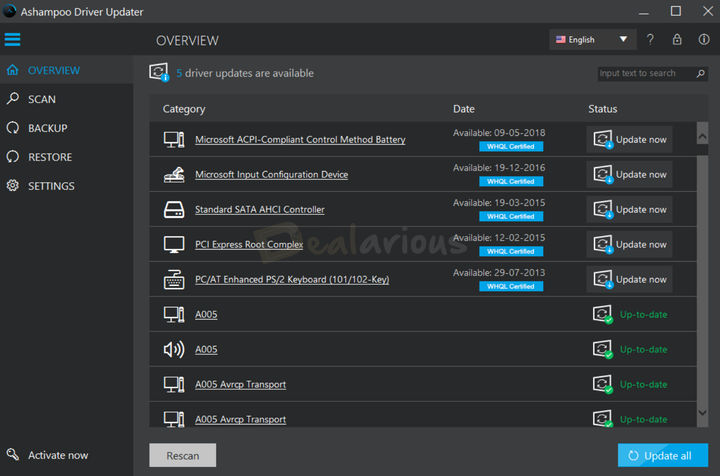
WHQL Certified Driver: For reliability, it suggests WHQL-certified drivers, which are displayed next to every outdated driver.
Connection Settings: The program also allows for flexibility in controlling how the application connects to the internet to search for and download driver updates. You can either use the Detect Automatically option or provide proxy server details. You can also set how many driver download attempts it is allowed to make, preventing failed downloads.
Impression
During my test, the scan took a long time to finish. It identified 5 outdated drivers that needed updating and also detected wireless devices connected to my system. I liked the overall user-friendly interface. However, it missed some hardware components, such as my biometric device, that other driver updater apps on this list detected.
Pros
- Simple user-friendly interface
- Backup and restore option
- Scan Scheduling
- Ignore Driver
- Flexible Connection Settings
Cons
- Free trial limitations
- No offline updater
Verdict
While the tool does not cover a comprehensive list of hardware components, it can handle the mainstream ones, such as printers, Bluetooth devices, displays, and more. Additionally, it has a clean, intuitive user interface that is ideal for non-tech-savvy users. Furthermore, it features a scan scheduling option, suggests WHQL-certified drivers for reliability, and includes backup and restore capabilities. Overall, if you want to keep your drivers up to date, then Ashampoo Driver Updater is a nice choice.
8. DriverMax Pro
Supported Platform: Windows
Free Version Limitations:
- 2 Updates/Day
- No Auto Update
- No customer support
Please check DriverMax Free vs Pro for more details.
My Rating:
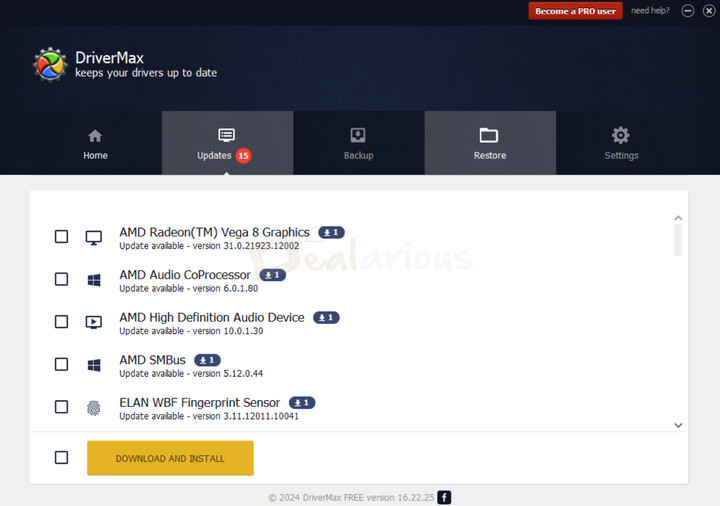
DriverMax Pro is another notable driver management tool that has earned a place on my list of the best driver updater apps. It can efficiently identify outdated drivers in your system against its database of 2,300,000 devices. The program thoroughly scans all drivers for viruses and safety threats before suggesting them. It only provides drivers that are digitally signed by the manufacturers. It ensures authenticity, reliability, and security.
Key Features
Backup and restore: Before installing the latest update, DriverMax lets you back up your current drivers. You can also create a driver backup archive with your selected drivers. For restoration, it offers several options: restore from a system restore point, from a previously created backup, use driver rollback, or use a previously downloaded driver.
Roll Back Driver: Windows stores several versions of your drivers. DriverMax lets you easily roll back to the previous version of your selected driver, whether or not you have a backup.
Automated driver installation: DriverMax lets you automate driver updates. You can set the scanning frequency to daily, weekly, or monthly and choose to enable automatic driver downloads. However, the latter is limited to Pro users.
Create an offline scan file: Scan offline, download drivers on another PC, then copy them back to fix network card issue.
Ignore update/device: You can skip individual version updates or ignore all future updates for a device.
Extra Tools
Unknown device identification: DriverMax can identify if unknown devices are connected to your system.
Matching Devices: With DriverMax, you can update not just a selected driver, but all the devices that use the same driver package.
Impression
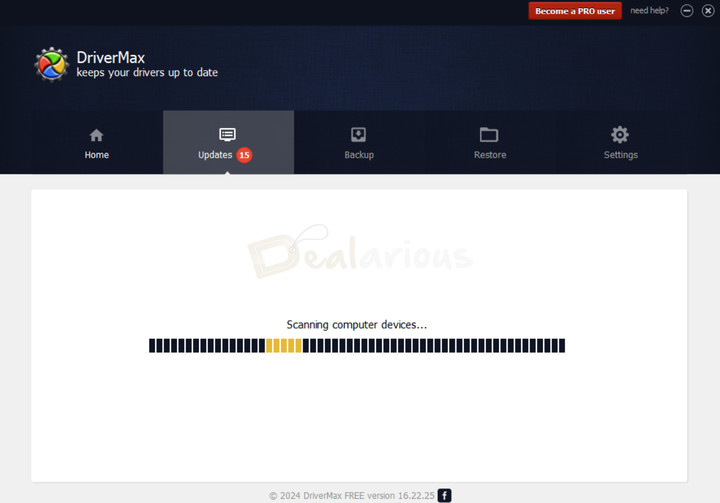
I tested the program on my Windows 11 64-bit PC. The scan speed was fast, and it detected around 15 driver updates. During installation, Malwarebytes flagged it as PUP and quarantined it (False Positive). I reached out to support to confirm its safety, and they assured me that DriverMax is free of viruses and trojans.
Pros
- Free version available
- Can identify unknown devices
Cons
- Outdated interface
- Detected as PUP by Malwarebytes
- Annoying popups
Verdict
DriverMax Pro is one of the few tools that can safely and reliably update your outdated drivers. From Windows XP to Windows 11, it supports all major Windows versions. So compatibility is not an issue. While the paid plan offers extra benefits, such as high-speed downloads, automated updates, and multiple driver updates per day, the free version is still a solid choice if you want a dependable driver management tool.
If you liked the free version and want to upgrade, use our DriverMax Pro coupons to get the best bang for your buck.
9. Snappy Driver Installer
Supported Platform: Windows
Free/Free Trial: Free App
My Rating:
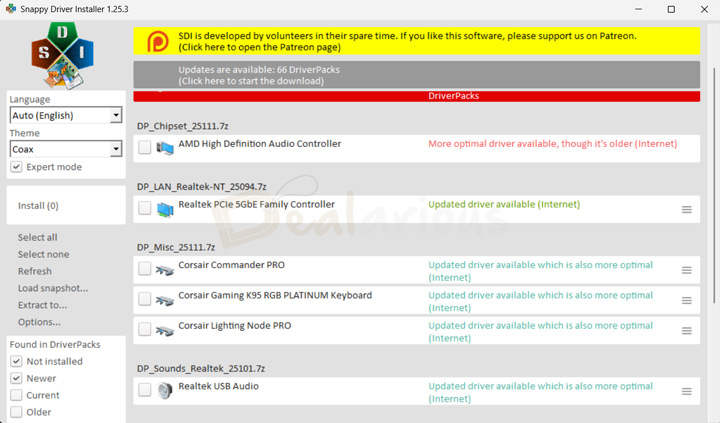
Unlike other driver updater apps on this list, which rely on cloud databases, Snappy Driver Installer uses driver packs. Driverpacks are collections of compressed driver bundles for specific hardware (e.g., graphics cards, network adapters, sound cards, etc.). It supports all Windows versions from Windows XP upto Windows 11, including some server editions. This wide compatibility, combined with its extensive driver list, increases the chances of finding the correct drivers, even for rare and legacy hardware. The program is lightweight and fully portable, making it ideal for repairing systems that have become unstable due to driver issues.
Note: Snappy Driver Installer offers two download options: Full (44GB of pre-downloaded driver packs) or Lite (smaller, letting you download only the necessary driverpacks). For my test, I went ahead with the Lite version.
Key Features
Offline Driver Updates: When launching the app for the first time, if you choose to download the entire driver pack, then it can efficiently detect and install drivers without an active internet connection.
Backup and Restore: Manually back up the existing drivers before updating them, and create a restore point, so you can safely roll back to an earlier version if something goes wrong. However, the program does not have a built-in restore tool.
Portability: You can run this tool from a USB drive or external drive; no installation is required.
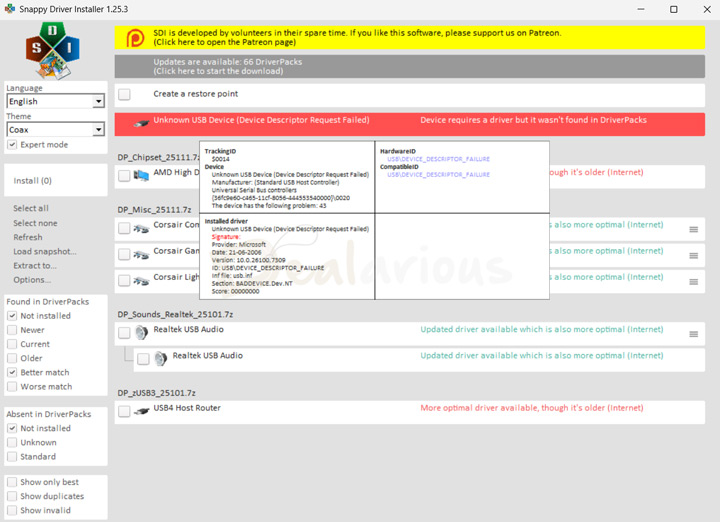
Expert Mode: You can filter your driver results. For example, you can view drivers that are not installed, new drivers, current drivers, older versions, those with a better/worse match, and more.
Driver Selection: You can view detailed information about each driver by hovering over it, including the tracking ID, hardware ID, installed driver, and available driver. You can also manually choose which driver to install.
Alternative Drivers: It can list all available alternative driver options for a selected device and display their status (e.g., outdated driver, less than optimal, or unsigned). This way, you can select the right alternative and minimize potential mismatch.
Impression
It was my first time trying Snappy Driver Installer, and honestly, the interface caught me off guard. Unlike other commercial driver-updater apps I have used, it relies less on automation. There is no typical scan button, no clear backup option, nothing I'd normally expect. It actually took me a while (and a few YouTube tutorials) to figure out how things work. But once I understood the basics, I came to appreciate how efficient this tool is.
Pros
- Portable
- Free Software
- Full control over driver updates
- Works offline
Cons
- Dated and non-beginner-friendly interface
- Not automated like other driver updater apps
- No dedicated support
Verdict
Snappy Driver Installer is one of the most powerful free driver updater apps available. Albeit, the interface can take a bit to get used to, especially if you are not very techy. Still, it remains a solid tool for those looking for full control over their driver management tasks. Its advanced customization options, combined with constantly updated driver packs, make a big difference. It's a reliable choice not only for spotting which devices need updates, but also for finding the correct driver for each one.
10. Glary Utilities Pro
Free Trial: 30 Days Fully Functional
Free Version Limitation:
- Manual driver updates
- No deep cleaning
- No automatic maintenance
- Limited Support
For a detailed comparison, check out Glary Utilities Free VS Pro.
My Rating:
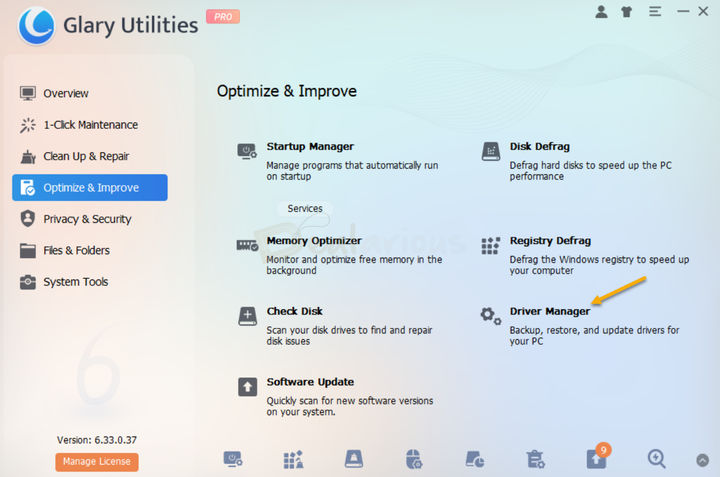
Glary Utilities Pro is another comprehensive PC optimization app that features a dedicated driver updater. It helps you update outdated drivers, create backups, and restore when needed.
Key Features
Backup and Restore: The Driver Manager module in Glary Utilities Pro allows you to back up your current drivers to any desired location. You can save the driver locally or to any external storage medium. This way, you can easily locate and manage your driver backups for future restoration.
Uninstall Drives: Uninstall problematic drivers.
Driver Information: Upon selecting a driver, the module displays the following information: driver version, provider, installation file, release date, identifier, and digital signature.
Extra Tools
As a comprehensive PC optimization tool, you get a bunch of PC optimization tools in addition to driver management, such as:
- Clean junk files
- Disk defragmentation
- Manage startup applications
- Update outdated apps
- Encrypt important files
- Permanently delete unnecessary files
- Retrieve accidentally deleted data, and much more.
Impression
During my test, I found Glary Utilities Pro's Driver Manager module to be very basic. The feature's interface resembled Windows Device Manager. It failed to detect any driver updates, unlike the dedicated driver updater apps listed above.
Pros
- Free version available
- Additional PC optimization tools
Cons
- Outdated interface
- Basic driver management tool
Verdict
While Glary Utilities is a good all-in-one PC optimization tool, its Driver Manager feature is not as powerful as a dedicated driver updater app. Still, it's a reliable option for driver backup and restoration, as well as for other PC maintenance tasks.
FAQs
Do I need a driver updater app?
No, having a driver updater is not strictly necessary, but it is a handy addition to keep in your system. Using a good driver updater helps keep your PC stable and running smoothly by ensuring your drivers are up to date. Updated drivers also improve security, which is especially important given today’s growing online threats. For better protection, you can use these tools along with a trusted antivirus program. You can pick one from our list of the best antivirus programs. And as always, I suggest practicing internet safety habits to stay safe online.
Should I use paid or free driver updater apps?
While free driver-updater programs might sound lucrative and some work well, there is a safety risk. Additionally, they often come with limited features and are loaded with ads. On the other hand, with paid programs, you get full access to different driver management tools, a continuously updated driver database, and a safety check before driver suggestions are made, so reliability is not an issue.
Hence, opting for the paid version from a reputable brand is the best choice. Furthermore, some paid apps offer free trials and free versions with limitations. So you can test them before upgrading. Just remember to download software only from official or trusted sources for safety.
Can updating drivers cause problems?
Rare but not unlikely. Issues often occur when installing the wrong or incompatible drivers. Hence, it is important to be mindful when installing a new driver version on your system and to create backups or system restore points before updating. In case something goes wrong, you can always restore to a previous stable version.
Conclusion: My Top Driver Updater App Picks
By comparing the features and usability of each app on this list, I have selected 3 of the best driver-updater apps you can trust to reliably update your drivers.
1. IObit Driver Booster: To fix recurring system issues with loads of advanced features.
2. Avast Driver Updater: For a simple interface, reliability, and a massive driver database.
3. Snappy Driver Installer: A free, portable, and highly customizable tool especially useful for advanced users.
Tip: I have also compared two of my top picks in a dedicated Avast Driver Updater Vs Driver Booster article. Give it a read to decide which one you should go for.

She reviews software at Dealarious, mostly recovery and productivity tools, which she tries out herself. Her goal is to keep things simple so readers don’t waste hours figuring out what works. Over the years, she has tested dozens of apps and learned that small details often make the biggest difference.
When she isn’t testing programs, you’ll usually find her hiking in the mountains or enjoying the rain. She believes good tech should quietly make life easier, not more complicated.