Bitdefender is a trustworthy name in the field of Cybersecurity. Choosing the right Bitdefender product, however, is tough. It is a crucial decision as the antivirus is responsible for your digital security.
As you might know, Bitdefender now promotes a newer product lineup on its official website. Older product editions like Internet Security and Family Pack are no longer sold directly there, but they are still available through resellers and remain relevant for buyers who want to purchase or renew their subscriptions.
We already know the difference between Bitdefender Free vs Paid editions. So, here is a clearer comparison of which paid version you should choose. This Bitdefender Comparison includes both older and newer paid product editions, as the older editions are not interchangeable with the newer ones.
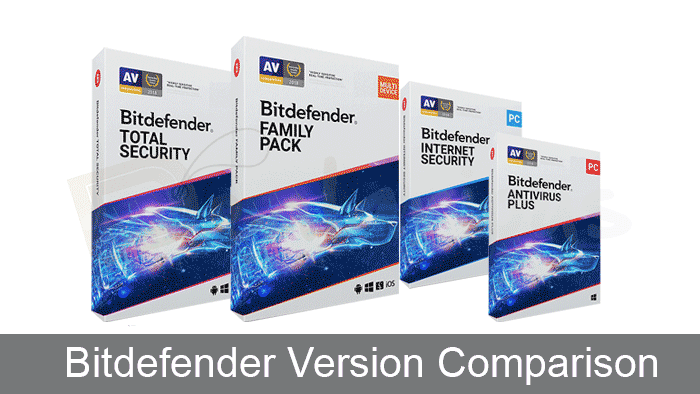
Important before you compare
The newer plans do not extend older retail subscriptions.
Bitdefender now focuses on the newer editions, but older editions are still available for purchase in many regions through resellers. If you already have an older subscription, it may still be supported.
So, let's start with a quick comparison table of old and new plans.
Bitdefender Feature Comparison Table [Older Editions]
Here’s a quick feature comparison of older Bitdefender editions
Features | Antivirus Plus | Internet Security | Total Security | Family Pack | Premium Security |
|---|---|---|---|---|---|
Anti-Ransomware | Yes | Yes | Yes | Yes | Yes |
Wi-Fi Security Advisor | Yes | Yes | Yes | Yes | Yes |
Online Banking Protection | Yes | Yes | Yes | Yes | Yes |
Antispam | No | Yes | Yes | Yes | Yes |
Firewall | No | Yes | Yes | Yes | Yes |
File Shredder | Yes | Yes | Yes | Yes | Yes |
Parental Control | No | Yes | Yes | Yes | Yes |
Anti-Theft | No | No | Yes | Yes | Yes |
Webcam & Microphone Protection | No | Yes | Yes | Yes | Yes |
Mac Protection | No | No | Yes | Yes | Yes |
Android Protection | No | No | Yes | Yes | Yes |
Bitdefender VPN | Yes (limited) | Yes (limited) | Yes (limited) | Yes (limited) | Yes (Unlimited VPN) |
Note: The new Bitdefender plans offer Parental Control with the Total Security Family Plan and Premium Security Family Plan.
Bitdefender Feature Comparison Table [Newer Editions]
Here’s a quick feature comparison of the newer Bitdefender editions
Features | Antivirus Plus | Total Security | Premium Security | Ultimate Security |
|---|---|---|---|---|
Devices covered | 1-3 | 5-25 Devices | 5-25 Devices | 5-25 Devices |
Supported platforms | Windows, macOS, Android and iOS | Windows, macOS, Android and iOS | Windows, macOS, Android and iOS | Windows, macOS, Android and iOS |
Ransomware Protection | Yes | Yes | Yes | Yes |
Password Manager | No | Yes | Yes | Yes |
Parental Control | No | Yes (Only in the Family Plan) | Yes (Only in the Family Plan) | Yes (Only in the Family Plan) |
Device Optimization | No | Yes | Yes | Yes |
Firewall | No | Yes | Yes | Yes |
Cryptomining Protection | No | Yes | Yes | Yes |
Bitdefender VPN | Yes (limited) | Yes (limited) | Yes (unlimited) | Yes (unlimited) |
Scam Protection Pro | No | No | Yes | Yes |
Email Protection | No | No | Yes | Yes |
Digital Identity Protection | No | No | No | Yes |
Note: Total Security provides Scam Protection on mobile devices only. Premium Security and higher include Scam Protection Pro.
Bitdefender Paid Plans (New and Older Editions)
Bitdefender offers several paid plans, with the newer editions available on the official website and older editions available through resellers.
New plans on the Bitdefender website
- Antivirus Plus (Multi-platform)
- Total Security (Individual and Family Plans)
- Premium Security (Individual and Family Plans)
- Ultimate Security (Individual and Family Plans)
Older retail versions
Within each product line, the products move from essential to more advanced protection levels. Have a look at the key feature differences below to see which edition fits your needs best.
In the tables above, you can see a quick comparison of the features available in the new and old plans. I am going to discuss these features in detail below. Also, as a conclusion, you can see if missing a feature can hurt your protection. The price differences for the base variation of each product are listed below.
Bitdefender 2026 Version Pricing Comparison
Let's have a look at both the newer and older (retail pricing) plans.
Newer Bitdefender plans and pricing
Antivirus
Plus
Multi-platform
1 account - 3 Devices
USD 69.99
TOTAL Security
Individual and Family Plans
1 account - 5 Devices
USD 25.95
PREMIUM
Security
Individual and Family Plans
1 account - 5 Devices
USD 46.95
ULTIMATE Security
Individual and Family Plans
1 account - 5 Devices
USD 159.99
Older editions (available through resellers/retail)
Antivirus
Plus
Basic Windows Protection
3 PC - 1 Year
USD 24.62
Internet Security
Advanced Windows Protection
3 PC - 1 Year
USD 31.92
Total
Security
Advanced Multi-Device Protection
5 Devices - 1 Year
USD 26.95
Family
Pack
Multi-Device Protection for Families
15 Devices - 1 Year
USD 49.95
For the latest prices, refer to Dealarious Store
Note:
- Bitdefender Antivirus Plus now lets you protect up to 3 devices and is compatible with Windows, Mac, Android, and iOS.
- Customers using Internet Security will be upgraded to the new plans.
- The new Total Security plans protects upto 25 devices, depending on the plan selected.
- Bitdefender Family Pack is being replaced with the new Family Plan options, including the Total Security Family Plan and the Premium Security Family Plan.
Once you understand the features, you can make a better choice. hence, the choice of feature omission depends on the type of user you are.
Functions that vary across Bitdefender Editions
Some features are available in most plans, while others are advanced features available in newer plans on Bitdefender's website. Since some product names overlap, it's necessary to keep track of which version is being discussed as you compare them.
Basic features
1. Antispam
It stops spam and harassing emails in your Email Client. A helpful feature if you use an Email client on your PC/Mac rather than the web version. In my opinion, if you are not using an Email Client to read emails, you are fine without this feature.
2. Firewall
A must-have module for protection against cyber threats. Windows do provide a basic firewall. However, time and again, it fails to give better security. If you are using a computer connected to a network, then you must have Firewall Protection.
3. Parental Control & Anti-Theft
It is a good option to use in a Family where a child's protection is in question. The anti-theft option can help to locate, lock, and wipe lost devices. However, these features work well when the device has internet access and is in-network coverage area.
4. Webcam and Microphone Protection
With this feature, you can prevent hackers from accessing your Webcam and Microphone. You can choose which applications can access your Webcam and Microphone and which need to be blocked.
5. Speed Up Your Devices
A cleanup module. It cleans junk files, browser cache files, and redundant registry entries. You can have this feature with better and Free apps like CCleaner. Hence, if you need this feature, you have other options.
6. Bitdefender VPN
Bitdefender VPN uses necessary protection measures to protect your device from unsecured wireless networks. This way, you can avoid adverse situations and protect your sensitive personal information from theft. Bitdefender VPN ensures your device IP address remains anonymous for hackers so that such uncertain incidents can be avoided.
However, this feature allows a limited amount of bandwidth of 200MB/day for non-premium users of Bitdefender. To enjoy the unlimited VPN feature, one must purchase the Bitdefender Premium VPN or get a Bitdefender Premium Security subscription. Read this full Bitdefender Premium VPN Review if you are interested in learning more.
So, now you know what the extra features are. Hence, you can decide on opting for or dropping the features according to your needs. It is always recommended to use the free trial of the product before making a purchase. Create a Bitdefender Central account and download the free trial version to see if it suits your needs.
Advanced features in Bitdefender’s newer plans
Password Manager
Bitdefender SecurePass stores all your passwords in one place. It can automatically save and fill passwords, generate, and manage passwords for all your accounts with a single master password.
Cryptomining Protection
Available on Windows PCs, this feature prevents hackers from using your PC for cryptomining. This feature is available in Total Security, Premium Security, Ultimate Security, and higher plans.
Scam Protection Pro
Uses AI to identify scams and alert you in real-time. You can share any suspicious link, email, or image, and it will check whether it is a scam. This feature is available in Bitdefender Premium Security, Ultimate Security, and higher plans.
Email Protection
Keep an eye on your emails for anything suspicious. It works with Gmail and Outlook. Once you add the accounts, the Email Protection feature will scan new emails in your mailbox and mark them as safe (green label) or dangerous (red label).
In the section below, let's go through a brief Bitdefender comparison. It helps in case you are struggling to make a choice.
Older Bitdefender Edition Comparisons
Antivirus Plus Vs Internet Security
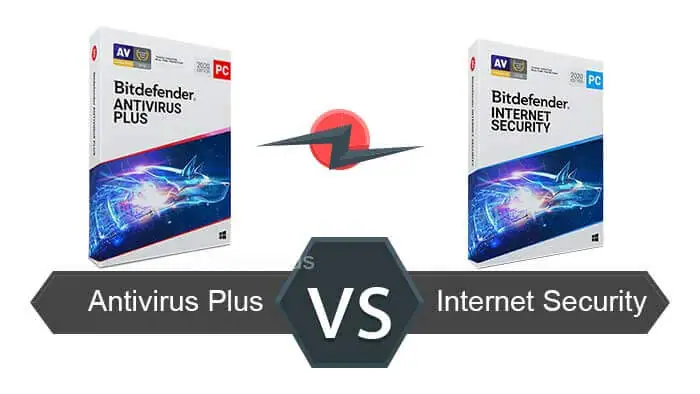
Bitdefender Antivirus Plus gives you just the necessary protection. Hence, you get protection from regular viruses to potentially dangerous spyware. Therefore, there is no lack of essential protection. Some protection-oriented features are standard in both Bitdefender Antivirus Plus and Internet Security.
Common Features of Antivirus Plus and Internet Security:
- Real-Time Protection
- Profiles
- AI Learning
- Cloud protection
- Wi-Fi Security Advisor
- File Shredder
- Secure Browser
- Anti-Ransomware & Online Safety.
For basic protection, those features sound good to me.
Now, in my opinion, the major lacking factors in Antivirus Plus are Firewall, Antispam, Webcam Protection & Parental Control. There are many others; you can refer to the table above. Both these modules are critical in preventing threats. It is always a safe choice to avoid infection chances in the first place. As it goes, Prevention is better than cure. Here the question arises:
Should I buy Antivirus Plus or Internet Security?
It depends on your usage habits. If you are working on a Public/Open network, Antivirus Plus protection is weak. However, the situation changes with a Home Desktop, not on a public network. Not to forget, Bitdefender Antivirus Plus also covers internet browsing and anti-fraud. So, in any case, you are safe with online browsing with Antivirus plus blocking bad sites.
On the other hand, Antispam is must-have protection. Moreover, it is crucial if you are using a desktop Email client and tend to open unknown or misleading Emails. Many spam emails in web clients like Gmail, Outlook, etc. already go through filtering. Also, some custom domains do the same.
However, I receive a lot of such emails which has an attachment. Also, they are convincing and make you believe that you are downloading a genuine document. Majorly used file format is Microsoft Word file. Opening these files can infect your system. It is better to block the data at the source and not depend on the Antivirus application's real-time scan. Either do not open such emails or keep the security up.
Bottomline
Therefore, are you in a situation where you need Firewall & Antispam? Then go for Internet Security. Parental control is a starring feature in Internet Security. You can also avail Webcam and Microphone Protection.
You can use Antivirus Plus in an unsafe environment only if you are using a third-party Firewall. There are benefits of using Antivirus Plus too:
- Since it is the very base protection, Antivirus Plus is super fast and lightweight. Best for systems with low hardware resources like RAM, Processor, etc.
- Core features and technology are the same as Bitdefender Total Security.
You can get great Discounts by using Antivirus Plus Coupon Codes and Bitdefender Internet Security Coupon Codes. Again, it's better to go with Internet Security if you are not using a 3rd party firewall.
Internet Security Vs Total Security
We already know the difference between Bitdefender Antivirus Plus vs. Internet Security. It is evident that the Internet Security package is more than basic protection. There are only two differences in features when compared to Bitdefender Total Security. Anti-Theft and Device Speedup module.
The major Bitdefender Comparison parameter in Total Security is the protection for Mac & Mobile Devices.
Should I buy Bitdefender Total Security?
The difference is clear and hence the requirement. If you have different devices to protect, then you have no choice other than Multi-Device Protection. You can check whether Total Security is worth purchasing in this Bitdefender Total Security Review.
As a benefit, you will get the following:
- Anti-Theft features
- Device Speedup (OneClick Optimizer)
As mentioned before, a free dedicated application like CCleaner will do a better job. If you want it desperately, you can save by using our Bitdefender Total Security Coupon codes.
Is Family Pack still worth buying?
Bitdefender Family Pack is no longer part of Bitdefender’s current direct-plan lineup on the official website, but it is still available through reseller channels.
In Bitdefender’s newer lineup, Family Pack has effectively been replaced by newer family plan options such as Bitdefender Total Security Family and Bitdefender Premium Security Family.
Within the older retail line, Bitdefender Family Pack is essentially a broader multi-device version of Total Security rather than a completely separate protection tier.
Family Pack allows protection for up to 15 devices, while older Total Security retail plans are commonly limited to fewer devices. For buyers who need coverage across many household devices, that difference can still matter. If all device slots are already used on a smaller plan, adding another device may require a separate subscription. Family Pack was designed to reduce that limitation for larger households.
A simple way to look at it is this: Family Pack is closer to an older retail multi-device version of Total Security with a higher device allowance. Its main advantage is broader household coverage, not a completely different core protection engine.
For buyers specifically looking at older retail editions through resellers, Family Pack can still be a practical option when multiple devices need protection under one subscription. You can also check the available Bitdefender Family Pack coupons before buying, but keep in mind that it belongs to the older retail line and should not be confused with Bitdefender’s newer family plans on the official website.
Newer Bitdefender Edition Comparisons
Antivirus Plus (Multi-platform) vs Total Security
In the newer product lineup, Antivirus Plus supports Windows, macOS, iOS, and Android devices and protects up to 3 devices.
Both plans share many features in common, but Total Security comes with extras such as:
- Support for more devices, up to 25, depending on the plan (Individual and Family)
- Parental controls (Included in the Total Security Family plan)
- SecurePass
- System optimization
- Cryptomining Protection (on Windows)
Total Security Vs Premium Security
Both plans give you strong, advanced protection and share most of the security features, except for these differences.
However, there are a few differences between the two.
- Total Security includes 200MB/day of VPN bandwidth, while Premium Security gives you unlimited VPN access.
- Second, Premium Security adds Scam Protection Pro and Email Protection. Total Security includes a more limited Scam Protection feature on mobile devices only.
Premium Security vs Ultimate Security
Premium Security vs Ultimate Security
What differentiates Ultimate Security from Premium Security is its Digital Identity Protection feature.
Note: In the new product line, the parental control feature comes only with family plans.
Renewal and Compatibility Note
Older retail subscriptions and newer Bitdefender plans aren't always interchangeable. Make sure you match the product carefully before buying or renewing a subscription. It is also why we have included both older and newer products in this article, so that you can compare them properly.
Quick Verdict
If you are buying directly from Bitdefender, focus on the newer plans listed on the official website.
If you are renewing an older subscription, compare the older retail editions carefully.
If you are buying from a reseller, check compatibility with your current subscription before making a purchase.
Frequently Asked Questions
Is Bitdefender better than Norton?
Compared to Norton, Bitdefender offers good value for money for its features. To get a clear picture, we have compared various aspects of both the antivirus programs in our detailed Bitdefender Vs Norton comparison.
Why are Internet Security and Family Pack still included in this comparison?
Because these older editions are still available through reseller channels and remain relevant for customers buying retail licenses or renewing older subscriptions. They are also not always interchangeable with Bitdefender’s newer direct plans, so including them helps readers compare the right product before buying.
Are older Bitdefender editions still sold through resellers?
Yes. Older Bitdefender editions are still sold through resellers.
Are older subscriptions still supported?
Yes. Bitdefender offers technical support for valid older subscriptions, even if they were purchased from resellers.
Can a newer Bitdefender website plan extend an older retail subscription?
No. Older retail subscriptions cannot be merged with the newer Bitdefender plans. If you are using an older retail product, you should buy the matching product line for renewal or wait until the current subscription expires before switching.
Conclusion: Which Bitdefender version should I get?
The right Bitdefender version depends on your needs and how you plan to buy it. Once that is clear, choosing the right plan becomes easier.
Did I miss something in this Bitdefender Comparison? Have Questions or something to add? Please share your valuable thoughts in the comments section below.
Changelog

Sourojit is the Executive Editor at Dealarious and has been writing reviews, tips, and how-tos since 2008. A Computer Science Engineer by degree, he enjoys turning complex tech into simple, useful insights.
Outside of work, he’s a DIY enthusiast who enjoys gardening, long drives, and building custom PCs, often experimenting with water-cooled setups. Over the years, he has played the roles of reviewer, storyteller, experimenter, and teacher.
This is so incredibly wrong. cmon man. why is this garbage still here misinforming ppl and having them make wrong decisions. take this down or actually update
Hi,
The article already includes references to Bitdefender’s newer product lineup, so it is not based only on outdated information.
That said, it also discusses older retail editions such as Internet Security and Family Pack because those products are still widely available through third-party retail channels and remain relevant for buyers comparing retail licenses and pricing. Bitdefender also still provides official support resources for customers who already have these legacy subscriptions in Bitdefender Central. These older retail editions are not always interchangeable with the newer subscriptions sold directly on Bitdefender’s website, which is exactly why they were included.
That said, the distinction between Bitdefender’s current direct plans and older retail editions could be clearer. We’ll improve the article further so it is easier to tell which products belong to the newer lineup and which ones are older retail versions which are actively sold through distributors.
I found the comparisons very helpful.Based on your breakdown of products, I will purchase the Premium version, as the unlimited VPN becomes a cheap option. – Thank You!
I was confused between Bitdefender Total Security and Family pack. I do not have any external firewall application and wished to have one and also I wanted to secure my Android phone. So, by the requirements I was left with the choice of Total Security and Family Pack.
Since they are the same product with just device difference. I decided to go for Family pack as I have nearly 10 devices now. Also there is not much of a difference in price between Bitdefender Total Security 10 Devices and Family pack 15 devices. Keeping my future expandability of devices in mind and the discounted prices on Dealarious, I decided to go for Family Pack 2 Years.
If I buy 2020 version will out update to 2021.
I already have an active subscription for antivirus plus, can i shift to the total security? will it means a new subscription or can i just pay the the amount needed to fill in for the price of the new subscription? thank you for the reply.
Very explicit explanations. Thank you very much.
Hi, thanks for the information. Looks like there is a section on ‘repeated text’ in your article: see below.
>>>>>>>>>>>>>>>>>>>>>>>>>>>
Should I buy Bitdefender Total Security?
The difference is clear and hence the requirement. If you have different devices to protect, then you have no choice other than Multi-Device Protection. As a benefit, you get Anti-Theft & Device Cleanup Features. THE REPEAT IS HERE >However, please note that device cleanup feature should not be a unique feature to buy an Antivirus. As mentioned before, a Free dedicated application will do a better job. If you want it desperately, you can save by using ourHowever, please note that Device Cleanup feature should not be a unique feature to buy an Antivirus. As mentioned before, a Free dedicated application like Ccleaner will do a better job. If you want it desperately, you can save by using our>>>>>>>>>>>>>>>>>>>>>>>>>>>
Hi Raoul,
Thanks for pointing that out. Fixed it. :)