There is no scarcity of video converter solutions in our world! Whether you need to convert an MP4 to 3GP or an MKV to MP3, you can find the appropriate video converter for that purpose. Hence, it is tough to find a comprehensive video converter that works seamlessly with the most popular media formats. Also, it should be easy to use.
I have included AVS Video Converter and Wondershare UniConverter as members of the best video converters league. It is also obvious that a common user would be confused when selecting between the two.
If you are short on time, skip to the end, Verdict Section.
AVS Video Converter Vs Wondershare UniConverter: Introduction
AVS Video Converter is a media conversion solution from Online Media Technologies Ltd. It is available only for Windows, including the latest version of Windows 11. According to the minimum resource requirements of AVS Video Converter, you can install it on any computer; however, they recommend using a mid-level PC. Visit the AVS4YOU website.
Wondershare UniConverter is a trusted name in the world of utility software. It is available for Windows and Mac, offering the same experience on different devices. Also, note that Wondershare UniConverter comes with other tools in the package, such as a DVD Burner and an online video Downloader. Learn more in this Wondershare UniConverter Review.
Here, I will compare AVS Video Converter and Wondershare UniConverter in detail so that you can make a good choice. I might not be able to make "the best" decision, but knowing all the facts can make the choice much easier.
Pricing
The plus point with AVS Video Converter is the pricing. With AVS4YOU Unlimited Subscription discount coupon you get a lifetime license for USD 35.95. Besides, as a unique feature, you get free upgrades forever as well.
Wondershare UniConverter also offers a lifetime subscription. However, you will only receive updates for one year, and no further upgrades will be available after that. Even with Wondershare UniConverter discounts, they remain on the higher end.
Hence, if you are on a very tight budget and do not want to spend every year on upgrades, the AVS4YOU Ultimate subscription is the one for you.
AVS Video Converter
Interface
AVS Video Converter Interface
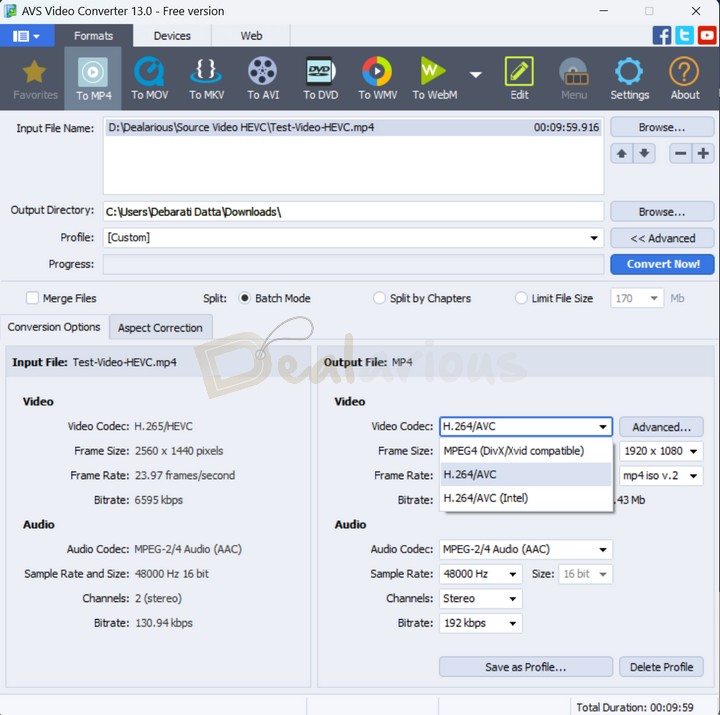
AVS Video Converter has a user-friendly interface. It is simple, old-school, and clean. The Main Window features all the tools necessary to convert, edit, or burn videos easily.
Wondershare UniConverter Interface
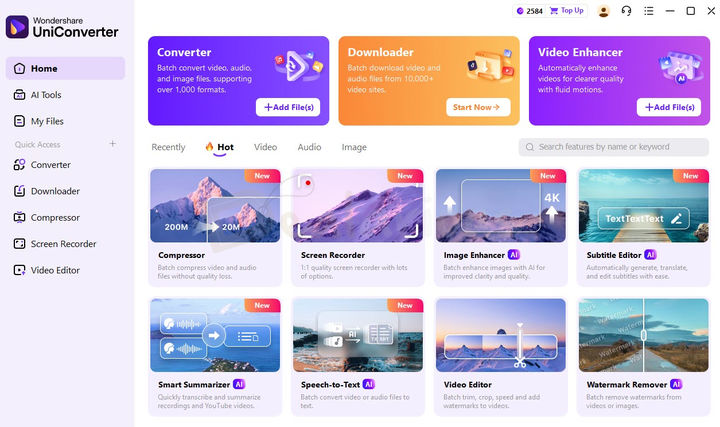
Wondershare UniConverter Interface is modern and organized with three main tabs: Home, AI Tools, and My Files. There is also a search bar that allows you to quickly find any tool, as well as a Quick Access section to add your most frequently used features.
While AVS Video Converter offers a simple and easy-to-use interface, Wondershare UniConverter provides a more modern, organized, and feature-rich layout, making it the clear winner in this category.
Wondershare UniConverter
Video Conversion
Both AVS and Wondershare have extra capabilities. However, video conversion is the factor that we have to give priority to while judging them. Several factors should be taken into consideration.
Speed
I know you’d be concerned about the conversion speed here. I tried to convert the same source file into the same format using both applications.

In comparison, Wondershare UniConverter had a better speed and thus an upper hand in the long run.
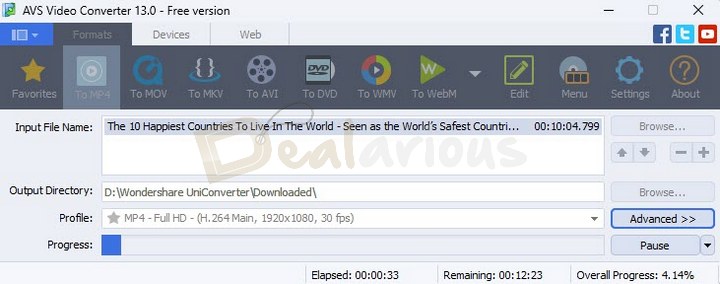
Of course, the speed of the AVS Video Converter is impressive, particularly when compared to other video converters on the market. However, when comparing the duo of AVS and Wondershare, the latter offers the best conversion speed.
For the specific test in a conversion of a video to the same output format with hardware acceleration:
- Wondershare UniConverter took nearly 4 Minutes.
- AVS Video Converter took nearly 18 minutes.
Hence, Wondershare UniConverter is way faster than AVS Video Converter in converting videos.
Wondershare UniConverter
Compatibility
There is a almost a tie between Wondershare UniConverter and AVS Video Converter when it comes to compatibility with media file formats. Both software support a wide range of media formats, with the number exceeding 1000, as seen in the case of Wondershare.
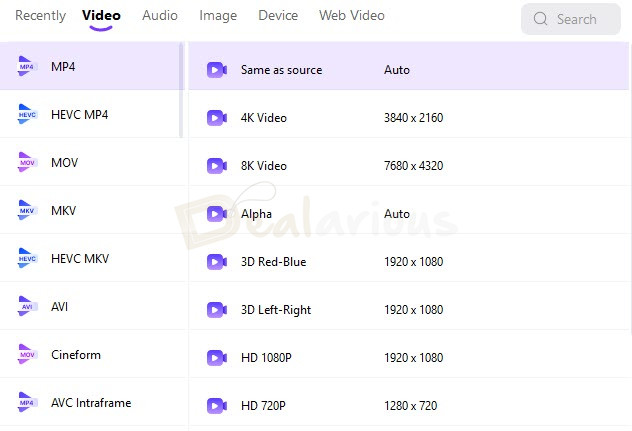
On the other hand, there is no particular number, but all the key formats are supported for recognizing and converting media. For instance, both tools offer input support for DVD and MP4 formats.
Additionally, the AVS Video Converter features three sections for format selection: Formats, Devices, and Web. You can first select the format manually. Then, you can select the device you have, and the tool finds the most appropriate media format. The final option is useful when creating a video to upload to web-based video-sharing services, such as YouTube.
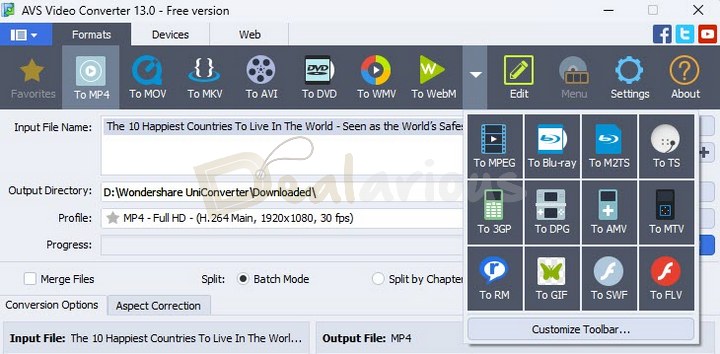
By the way, the problem we found with the AVS Video Converter is that, although it can decode H. 265, it doesn't convert videos to H.265.
If you specifically need the features mentioned above, you should stick with Wondershare UniConverter.
Wondershare UniConverter
Conversion Control
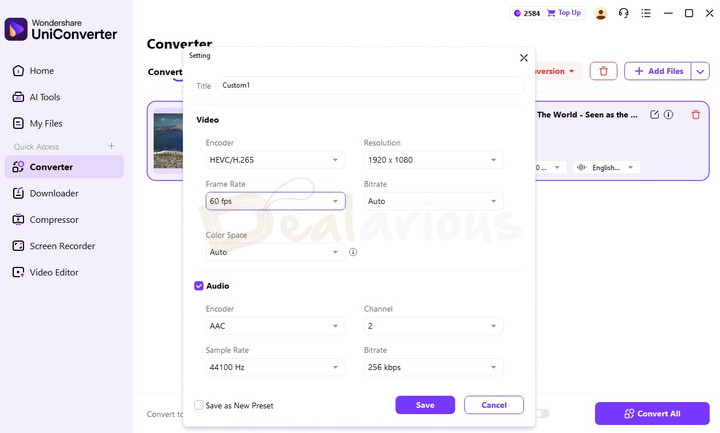
Both AVS Video Converter and Wondershare UniConverter offer an advanced set of options for output customization. This means you can change various aspects of the converted file, such as the video and audio codecs used, frame rate, bitrate quality, etc. Hence, the availability of customization options varies depending on the format you have chosen.
DRAW
Editing Before Conversion
Before you convert the videos, consider editing them. Both solutions have built-in editors available.
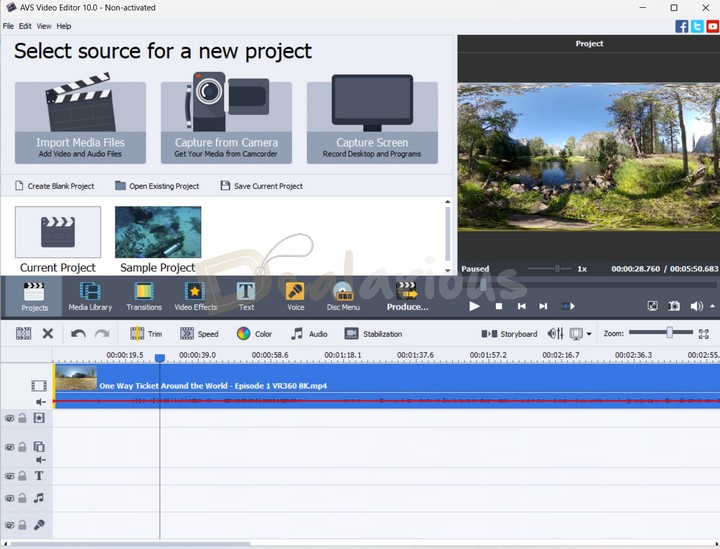
AVS Video Converter has a built-in editor that offers many options. You can perform actions such as trimming, shrinking, etc., and apply plenty of audio and video effects. The editor interface is simple yet professional, allowing you to do various editing tasks.
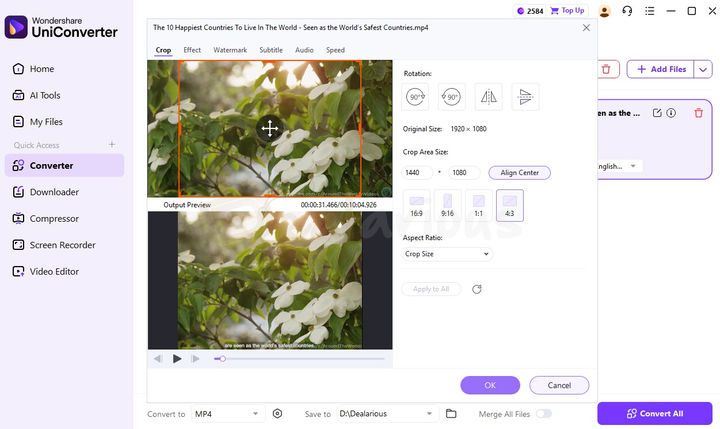
Wondershare UniConverter also provides essential editing tools, including trimming, cropping, watermarking, and effects.
AVS Video Converter provides me with more flexibility and a broader range of editing tools.
AVS Video Converter
AVS Video Converter: Package Benefits
AVS Video Converter does not come as a single application. It is included as part of an AVS4YOU Unlimited subscription, which comes with 11 applications.
AVS4YOU package gives you complete control over any task related to Multimedia files. AVS4YOU package gives you complete control over any task related to Multimedia files. With our AVS4YOU coupon codes, you will always get this package at the best discount price.
Should I Use AVS Video Converter?
AVS Video Converter is recommended for users with prior editing experience and for those users who need sophisticated editing before conversion. Additional applications can be considered according to requirements.
Wondershare Video Converter: Feature Benefits
Below are the unique features of Wondershare over AVS Video Converter:
- YouTube Video Download and Conversion within the app.
- Video to Audio-only conversion.
- Modern Interface with a Search box and a customizable Quick Access section..
- Supports HEVC(H.265) and AV1 codecs for faster output files.
- Includes advanced AI-powered add-on features in the AI Tools Section.
Should I Use Wondershare UniConverter?
Home users who want point-to-point conversion without extensive video editing requirements should opt for Wondershare. Also, you get H.265 output support.
Wondershare UniConverter is listed among the the best HEVC converters for Windows, along with other tools.
AVS Video Converter Vs Wondershare UniConverter: Frequently Asked Questions
Is AVS Video Converter free?
Both free and paid versions of the converter are available to users.
Is AVS Video Converter good?
Yes. It is a simple video converter with a very user-friendly interface. Whatever your video conversion needs may be, it will be easily met. It is also affordable. It is only available for Windows.
Is Wondershare UniConverter free?
Wondershare UniConverter is a paid software; however, it provides a free trial with limitations.
Is Wondershare UniConverter worth buying?
It is one of the fastest video converters available, but it is pricey. It is available for Windows and macOS.
Are there other budget-friendly video converters worth mentioning?
In addition to Wondershare Unicoverter and AVS Video Converter, you can also try Movavi Video Converter and WonderFox HD Video Converter Factory Pro.
Final Verdict
After testing both conversion software, we can only say that we love both. If we need to make a final decision, it will strictly depend on your needs and experience with multimedia Editing and Conversion software.
Both video converters are great. However, Wondershare UniConverter has an extra edge. It is faster, has a modern interface, and, most importantly, can output videos with H.265.
Changelog

Sourojit is the Executive Editor at Dealarious and has been writing reviews, tips, and how-tos since 2008. A Computer Science Engineer by degree, he enjoys turning complex tech into simple, useful insights.
Outside of work, he’s a DIY enthusiast who enjoys gardening, long drives, and building custom PCs, often experimenting with water-cooled setups. Over the years, he has played the roles of reviewer, storyteller, experimenter, and teacher.
Nice post bro you are a great writer this is a great software and 100% working AVS Video Converter.